

We can make Excel
sheet look like a webpage by making Excel Full Screen.
Excel sheet before full screen:
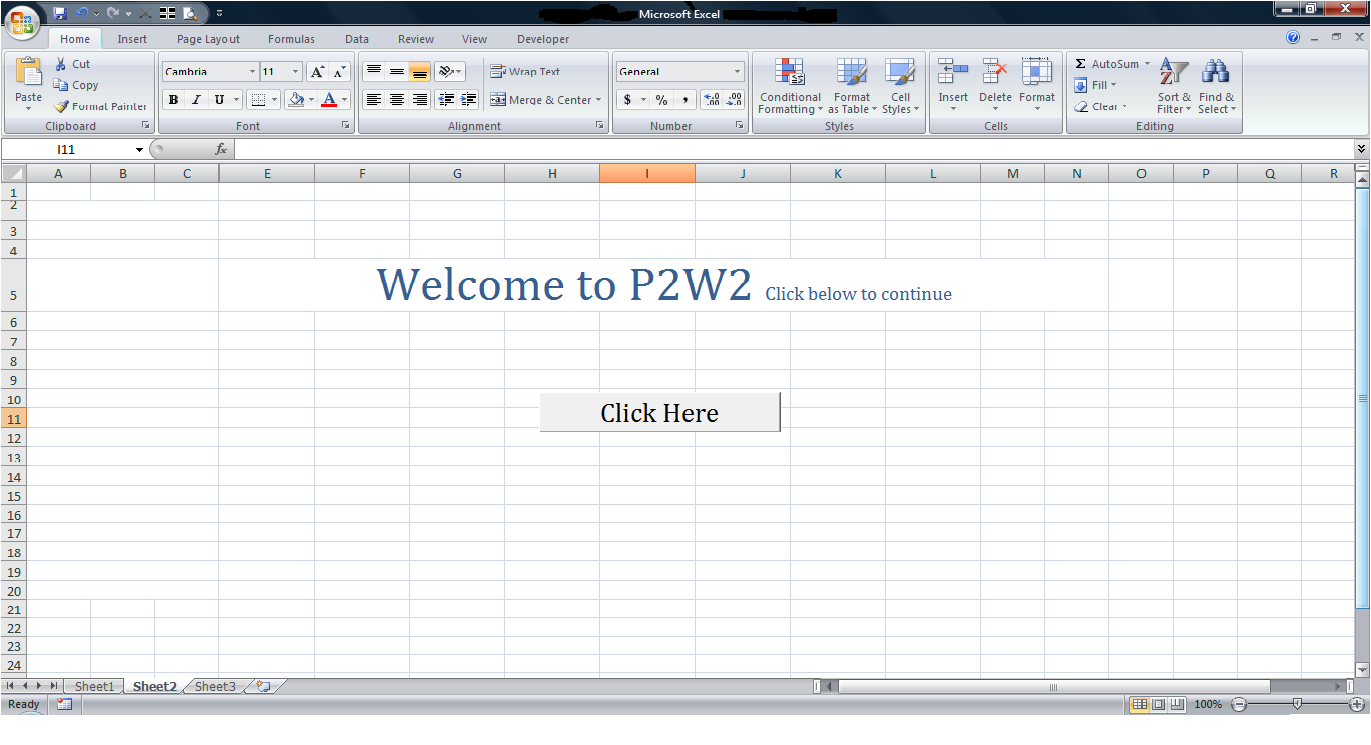
Excel Sheet after full screen:
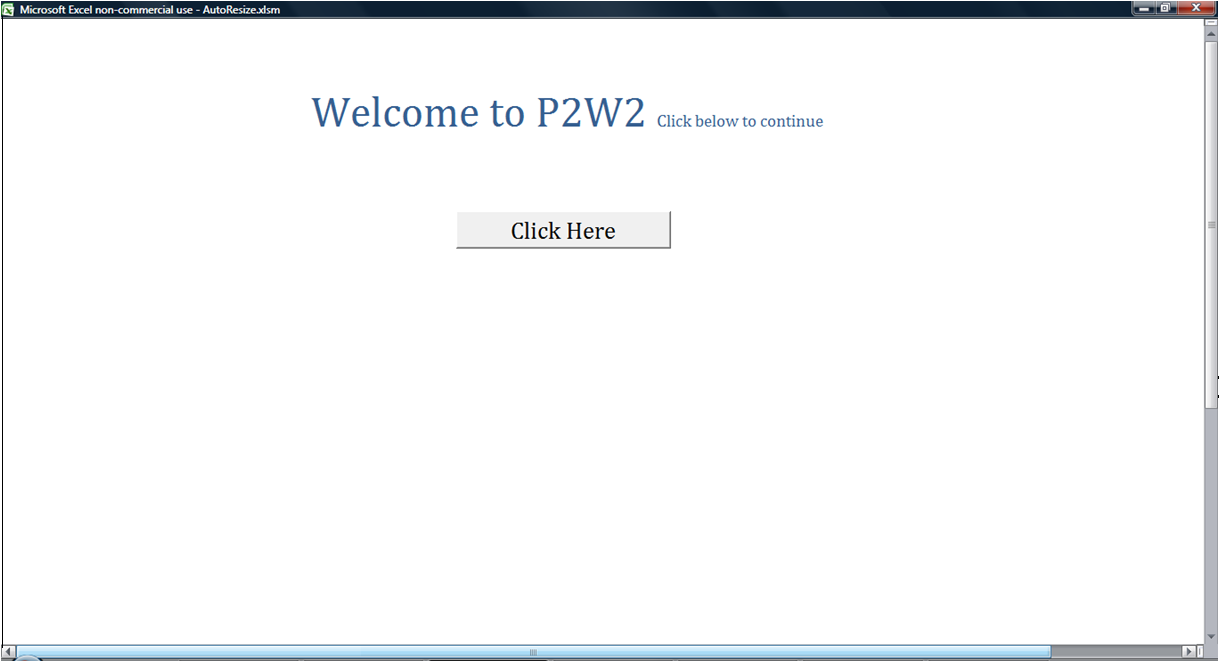
Following are the guidelines to make Excel full screen:
 Hide sheet tabs.
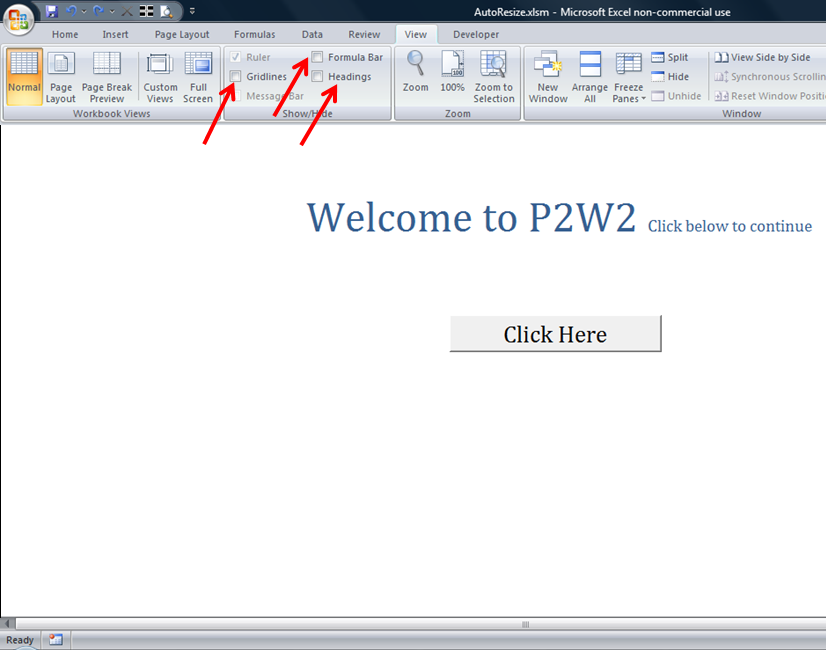
 Remove Grid Lines, Headings and hide Formula Bar.
 Select Excel ‘Full Screen’ option from ‘View’ menu.
 Hide sheet tabs.
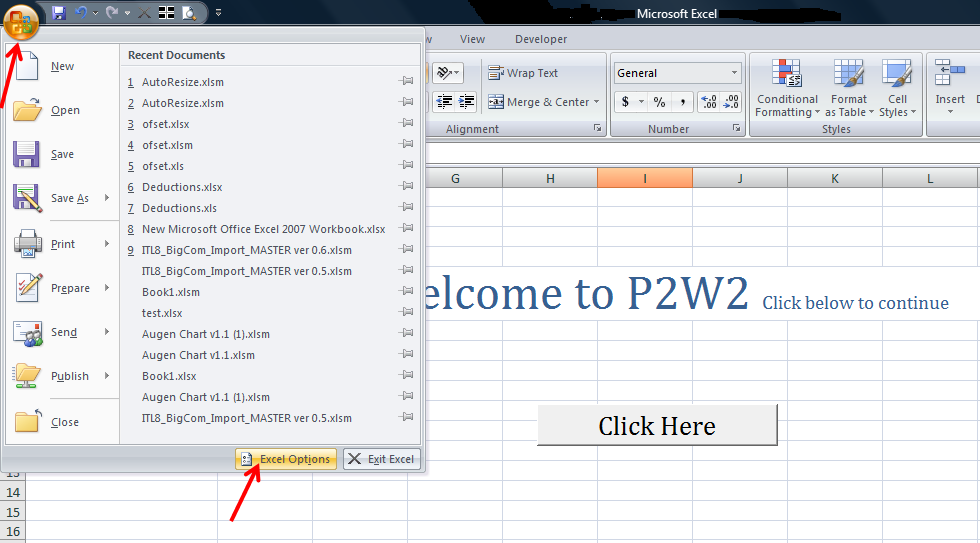
 Select ‘Office’ Button and select ‘Excel Options’.
 Select ‘Advanced’ option under ‘Display Options for This Workbook’ uncheck the box ‘Show Sheet Tabs’.
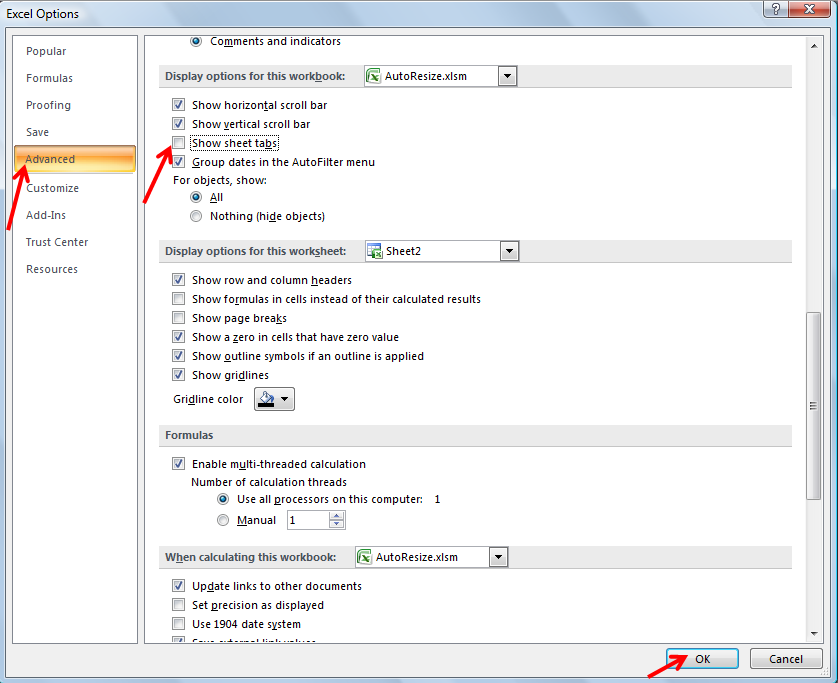
 Click ‘Ok’.
Picture below is a spreadsheet after hiding sheet tabs:
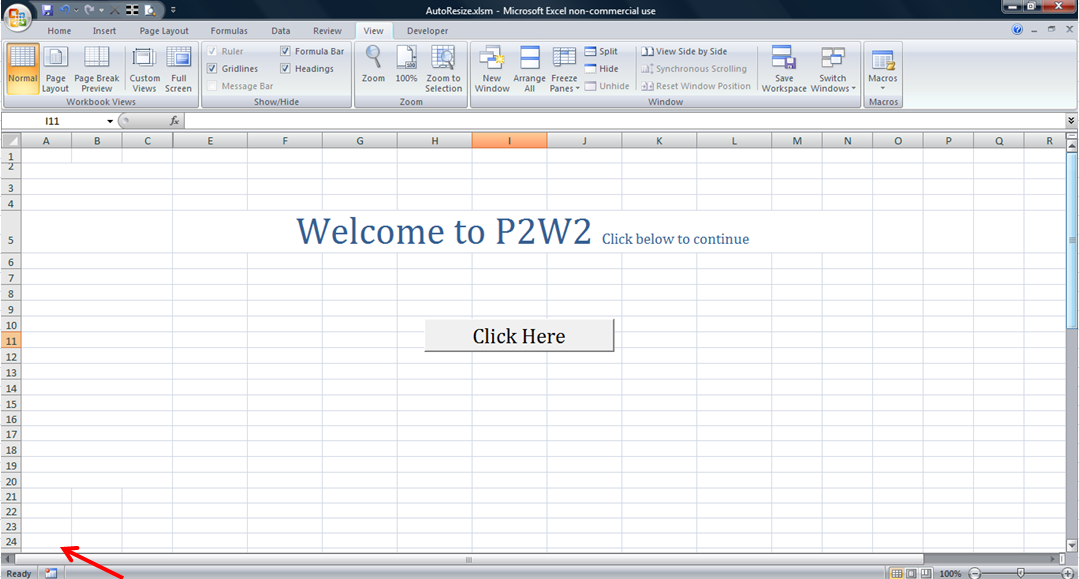
Removing Grid lines, Headings and Formula Bar.
Select ‘View’ from ‘Menu’, uncheck the boxes for ‘Gridlines, Headings and Formula Bar’.
Selecting Excel Full Screen
Select ‘View’ from menu and Select ‘Full Screen’.
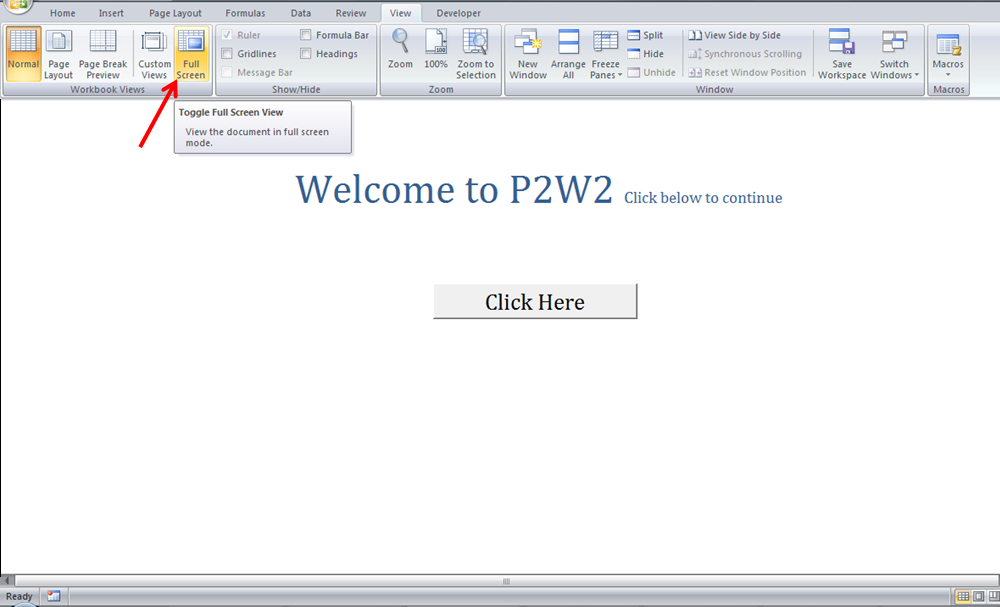
Picture below is a Excel spreadsheet which looks like a webpage.
—————————————————————————————————————
Vani is a Business Associate with p2w2, a Spreadsheet Solutions company. p2w2 has expertise in Excel Modeling, Excel Dashboards, Profitability Analysis, Excel Invoices and Excel Bid sheets. You can contact us by email: cs [at] p2w2.com or
call us at 305.600.0950.