

Printing in Excel is a bit different than printing in some other programs, such as a word processor. Printing selected objects is one of the special features in Excel.
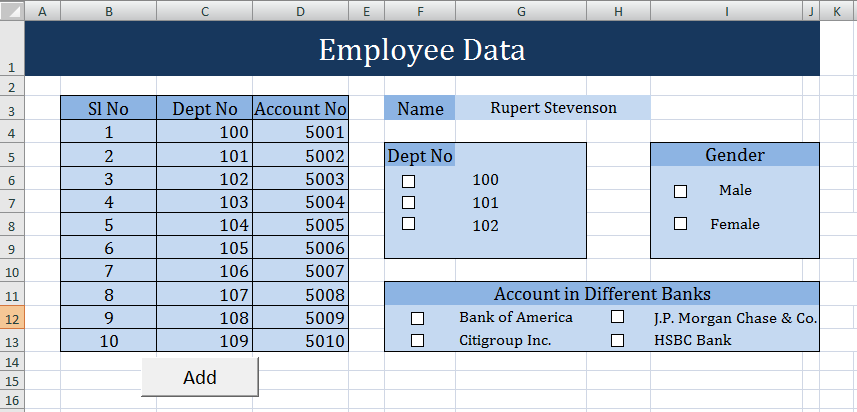
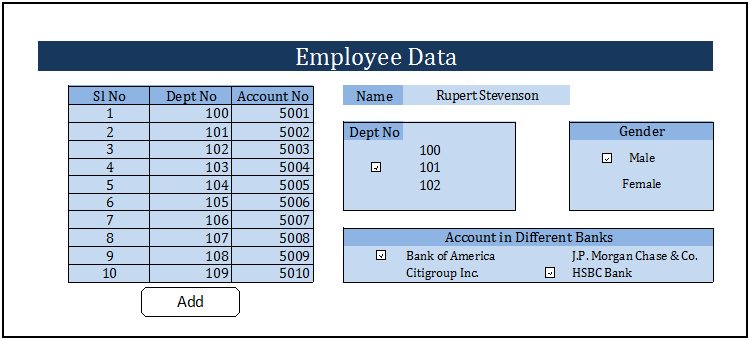
Worksheet with Objects.
Print out with selected objects.
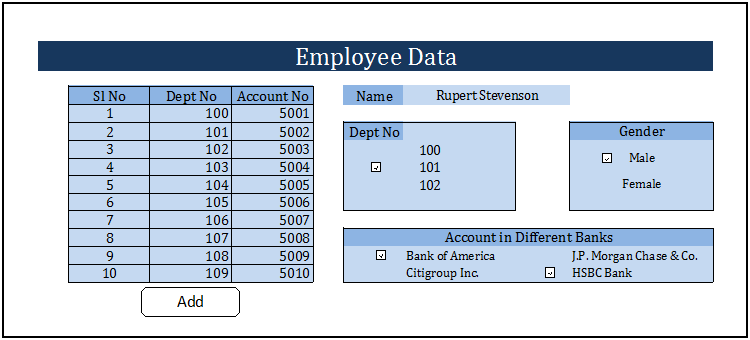
The steps below guide us to print only selected objects , from a number of objects (i.e. controls, images, shapes etc) in a worksheet.
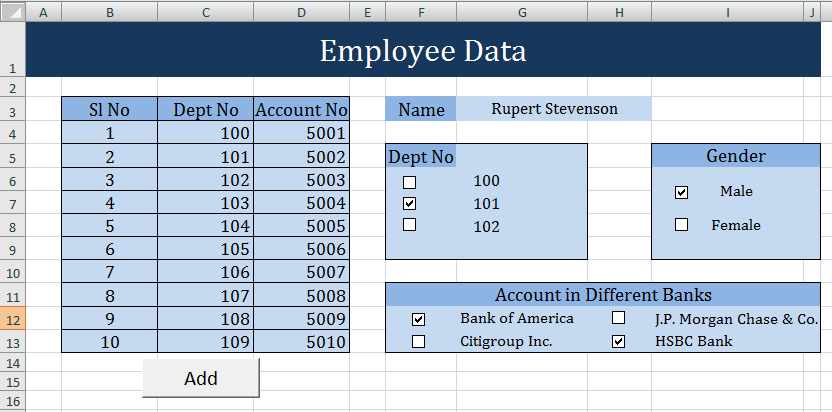
 Select the required check boxes.
 Press Alt+f11.
A ‘Microsoft visual basic‘ window appears.
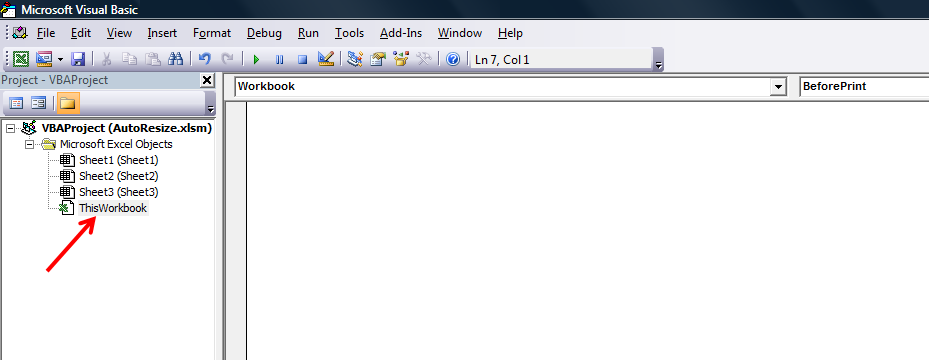
 Double click on ‘This Workbook’. The cursor appears in the space at the right
side, under the Workbook tab.
 Now type the code below:
Private Sub Workbook_BeforePrint (Cancel As Boolean)
Dim CBX As CheckBox
For Each CBX In ActiveSheet.CheckBoxes
If CBX.Value = xlOff Then CBX.PrintObject = False
Next CBX
End Sub
 After writing the macro, go to the worksheet and print the page, Now you can see the print out with selected objects only.
————————————————————————————————————–
Vani is a Business
Associate with p2w2, a Spreadsheet Solutions company. p2w2 has expertise in Excel Modeling, Excel Dashboards, Profitability Analysis, Excel Invoicesand Excel Bid sheets. You can contact us by email: cs [at] p2w2.com or call us at 305.600.0950.
Gosh. Too complicated! I just want to print the bare worksheet without macro buttons. There used to be a simple option for this!